
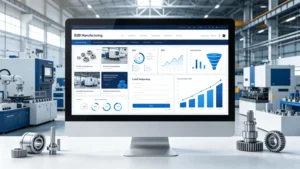
How to Optimize a B2B Website for Lead Generation?
A B2B website should do more than introduce your company and products. For manufacturers, suppliers, and industrial businesses, the website is often the first place potential buyers evaluate your capabilities, product quality, certifications, and ability to support their projects.A well-optimized B2B website can turn organic search traffic, Google Ads clicks, referrals, and direct visitors into […]
How to Build a B2B Website That Generates Leads
A B2B website should do much more than tell people who you are and what products you sell. For manufacturers, exporters, and other B2B companies, your website is often one of the first places potential customers go when they are looking for a supplier. If the website only acts as an online brochure, you may […]

Multilingual Website for B2B Manufacturing? Plugin vs. Multisite – Which One to Choose?
Choosing the right multilingual architecture for your B2B manufacturing website is a critical decision that impacts your SEO performance, operational efficiency, and global growth potential. Drawing on experience helping manufacturers establish international online presences, this article provides a comprehensive comparison of WordPress multilingual plugins versus WordPress Multisite, offering practical recommendations based on your business stage […]
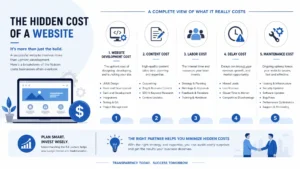
How Much Does It Cost to Build a B2B Website? The Real Cost Behind Your First Website Project
First-time B2B website buyers often make one costly mistake: they only compare upfront development quotes without calculating hidden long-term expenses. Business owners usually receive three tiers of website bids: $2,000–$5,000 template-based sites $8,000–$20,000 professional B2B lead gen websites $30,000+ enterprise custom builds Yet the sticker price alone never reflects the full investment. A B2B website […]
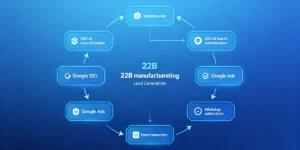
Why Beautiful Factory Websites Fail to Generate B2B Leads
Why Beautiful Manufacturing Websites Fail to Generate B2B Leads Introduction Most B2B manufacturing companies prioritize visual aesthetics first when redesigning or rebuilding their independent manufacturing website and industrial website. They focus on sleek layouts, high-definition banners, trendy animation effects, and premium brand styling to create a world-class online image for global buyers. However, countless industrial […]
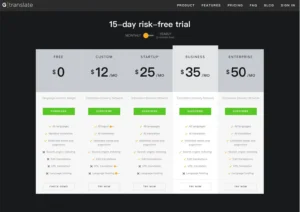
GTranslate Business vs Enterprise: Which Plan Is Right for Your B2B Website?
Choosing the right multilingual SEO solution can make or break your international B2B expansion strategy. One of the most common questions we hear from manufacturers, industrial suppliers, and B2B exporters is: “Do I need GTranslate Business or Enterprise for my multi-language website?” After helping dozens of industrial companies go global, we’ve discovered that many website owners misunderstand […]
6 Leading B2B SEO Agencies in 2026
B2B SEO in 2026 is no longer just about ranking keywords. It is about creating a steady pipeline, building trust, and supporting long sales cycles.Below are six B2B SEO agencies that stand out in 2026 for their SEO capability, industry experience, and ability to generate qualified leads. How these agencies were selected Experience with B2B […]
Top 8 Google Ads Agencies for Manufacturers in 2026
Google Ads is one of the fastest ways for manufacturers to generate qualified B2B leads. But industrial buyers behave very differently from consumers — they search with technical intent, long decision cycles, and multiple stakeholders.That’s why choosing the right Google Ads agency matters more than budget alone. Below are some of the most reliable agencies […]

GEO vs SEO: How SEO and GEO Work Together for Digital Growth
SEO (Search Engine Optimization) and GEO (Generative Engine Optimization) are not rivals — they are the two pillars of modern search visibility. This guide unpacks their core principles, step-by-step playbooks, and why content + insight + structure wins both Google and AI. What is SEO? SEO (Search Engine Optimization) is the practice of optimising your […]
Ready to Start Your Project?
Fill out the form below and our team will get back to you within 24 hours